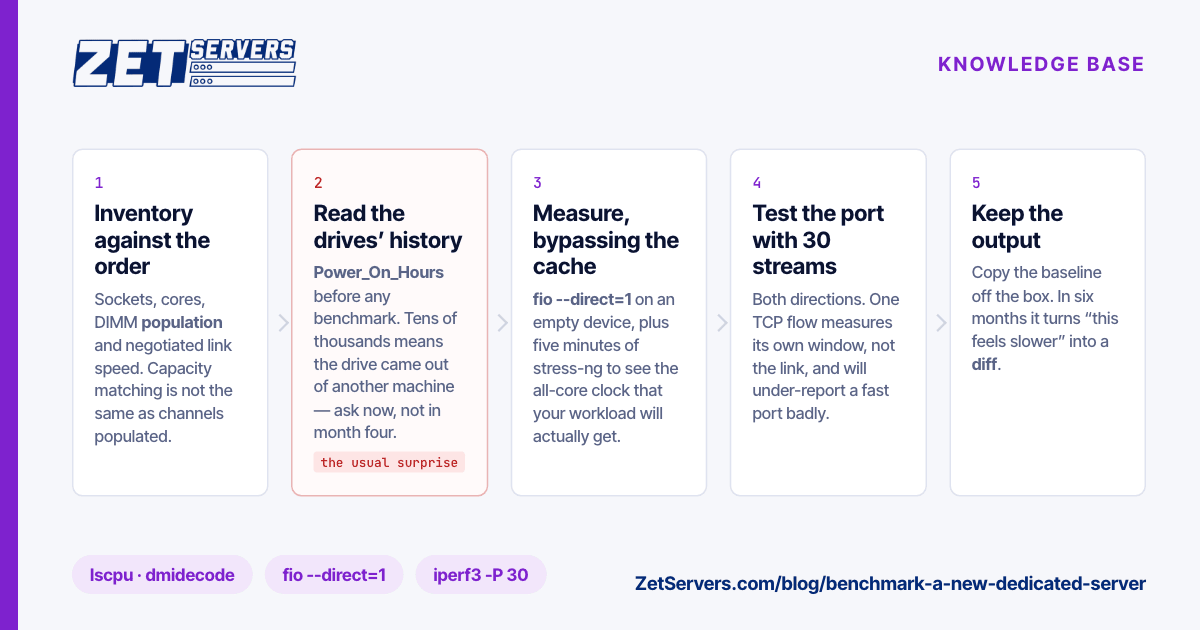
Take an hour to benchmark a new dedicated server before you put anything on it. Not because providers are dishonest — most discrepancies are a mis-seated DIMM, a drive pulled from another machine, or a NIC that negotiated the wrong speed — but because all of those are trivial to fix on day one and expensive to discover in month four, with production on top of them. You also get something more valuable than a pass/fail: a baseline, so that when the box feels slow next spring you can prove whether it changed.
Do this before hardening and before any data lands. The disk tests below read raw devices directly and the network tests are deliberately noisy, so run them while the machine is still empty and nothing depends on it.
1. Inventory against the order
Start by confirming you were given the machine you bought.
lscpu | grep -E 'Model name|Socket|Core|Thread|MHz'
dmidecode -t memory | grep -E 'Size|Speed|Locator|Rank'
lsblk -d -o NAME,MODEL,SIZE,ROTA
ethtool eth0 | grep -E 'Speed|Duplex|Link detected'
free -h
Four things to read carefully. Socket and core count should match the listing — a dual-socket build reporting one socket means a CPU is not seen. Memory speed is the configured speed, not the rated one; DDR4 sticks rated at 2400 running at 2133 is normal for some platforms and worth a question on others. DIMM population matters as much as total capacity: memory spread across every channel is materially faster than the same gigabytes crowded onto half of them. Link speed should be the port you ordered, and Link detected: yes on the interface you will actually use.
2. CPU, under sustained load
A single-threaded burst tells you little. What you want is the all-core clock after five minutes of load, because that is the clock your workload gets.
stress-ng --cpu $(nproc) --timeout 300s --metrics-brief

grep MHz /proc/cpuinfo | sort -n | tail -3    ## in another session, while that runs
sensors 2>/dev/null | grep -i 'core\|package'
Compare that sustained figure against the base clock in the specification. Meeting or exceeding base is healthy; falling well below it under load points at thermal or power limits. A quick cross-check with a familiar benchmark — 7z b or sysbench cpu run --threads=$(nproc) — gives you a number you can compare with other machines you own.
3. Memory and ECC
sysbench memory --memory-block-size=1M --memory-total-size=64G run
dmesg | grep -i edac
edac-util -v 2>/dev/null
The throughput figure is a baseline, not a verdict. The important part is ECC: server memory should report correctable-error counters through EDAC. If correctable errors are already climbing on an idle machine, say so in a ticket now — that DIMM is going to fail eventually and swapping it today costs nothing.
4. Disks, including their history
Run SMART before any performance test, because it answers a question benchmarks cannot: how much life the drive has already had.
smartctl -a /dev/sda | grep -E 'Model|Power_On_Hours|Reallocated|Pending|Wear|Percentage_Used'
nvme smart-log /dev/nvme0n1     # for NVMe
Power_On_Hours on a supposedly new drive should be small. Tens of thousands of hours means the drive came out of another machine — not automatically a problem on a redundant array, but you should know and decide. Reallocated and pending sectors above zero on a spinning disk, or a high Percentage_Used on flash, are grounds for a replacement request before you trust the array.
Then measure, with --direct=1 so you are testing the device rather than the page cache, and only on a drive holding nothing:
fio --name=seq --rw=read --bs=1M --size=8G --numjobs=4 --iodepth=32 \
    --ioengine=libaio --direct=1 --group_reporting --filename=/dev/sdX

fio --name=rand --rw=randread --bs=4k --size=4G --numjobs=8 --iodepth=64 \
    --ioengine=libaio --direct=1 --group_reporting --filename=/dev/sdX
Rough expectations: an enterprise SATA HDD gives 150–250 MB/s sequential and a couple of hundred random IOPS; a SATA SSD lands near 500 MB/s; a PCIe 4.0 NVMe drive reaches several GB/s sequential and hundreds of thousands of random IOPS. An order-of-magnitude miss is a fault, not a tuning opportunity. If the results make you reconsider the drive type entirely, NVMe vs SATA vs HDD has the comparison.
5. Network, from outside and at scale
Two separate questions: does the port deliver its rate, and do your users get a good path to it.
iperf3 -c <well-connected-target> -p 5201 -P 30 -t 60     # rate
iperf3 -c <target> -R -P 30 -t 60                          # and the reverse direction
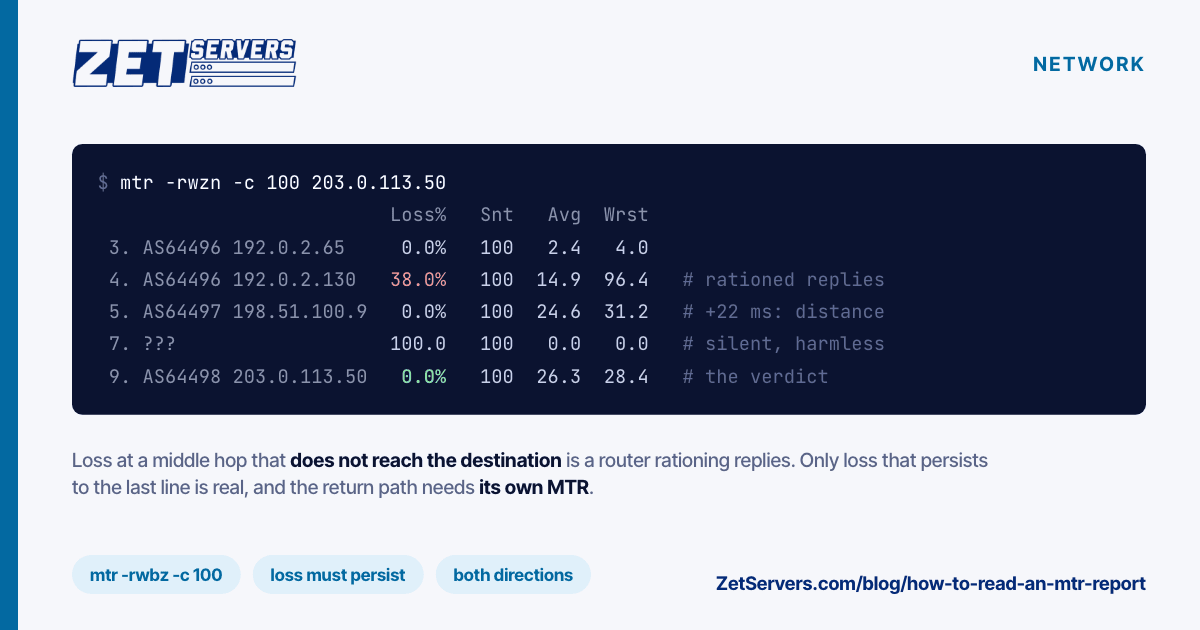
mtr -rwzc 100 <an-ip-in-your-main-market>                  # path quality
Use parallel streams. A single TCP flow is limited by its window over the round-trip time and will under-report a fast port badly, especially across distance. Avoid consumer speed-test sites too — most of their endpoints cap below 1 Gbps, so the result says more about them than about your server. The full method, including how to read the output and what a wrong result usually means, is in how to verify your port speed.
Check both directions. Inbound matters for ingest, replication and restores, and it is where an asymmetry would hide.
6. Out-of-band access, before you need it
Log into IPMI now: open the remote console, confirm you can mount virtual media, and reboot the machine from it once. The moment to discover that out-of-band access does not work is not the moment the box stops answering SSH. While you are there, confirm you can reinstall unaided — reinstalling over IPMI walks the process.
7. Keep the results
mkdir -p /root/baseline && cd /root/baseline
lscpu > cpu.txt; dmidecode -t memory > mem.txt; lsblk -O > disks.txt
for d in /dev/sd?; do smartctl -a $d > smart-$(basename $d).txt; done
Copy that directory off the machine. In six months, when something is slower than you remember, the baseline turns an argument into a diff.
The acceptance checklist
| Check |
Pass condition |
If it fails |
| CPU model, sockets, cores |
Matches the order |
Ticket, with lscpu attached |
| Memory size, speed, channels |
Matches; all channels populated |
Ticket — usually a reseat |
| ECC reporting |
Present, no rising correctable errors |
Request a DIMM swap |
| Drive hours and health |
Low hours, zero reallocated sectors |
Request a replacement drive |
| Disk throughput |
Within the device class |
Re-test, then ticket |
| Port speed, both directions |
At or near the guaranteed rate |
Re-test with 30 streams, then ticket |
| Path quality to your market |
No loss at the final hop |
Send the mtr output to the NOC |
| IPMI console and virtual media |
Working, tested |
Ticket now, not later |
Everything on that list is cheap to fix during the first days and awkward afterwards. Our in-stock dedicated servers are online within the hour of a confirmed payment, which leaves plenty of the first day for this. Once it passes, harden it before anything else goes on — securing a new dedicated server is the next hour's work.
Frequently asked questions
How long should it take to benchmark a new dedicated server?
About an hour of wall-clock time, most of it waiting on fio and stress-ng. Considerably less than the time lost to discovering a bad drive after go-live.
Is a used drive in a new server a problem?
Not necessarily — enterprise drives are rated for years of duty and a redundant array expects failures. It becomes a problem when nobody told you, or when the SMART counters are already moving. Ask, and decide with the numbers in front of you.
What if my benchmark disagrees with the specification?
Re-run it, then open a ticket with the raw output. Most gaps are configuration — a NIC negotiated down, DIMMs on one socket, a drive in a slow slot — and configuration is fixed in minutes once someone can see the evidence.
Should I benchmark a VPS the same way?
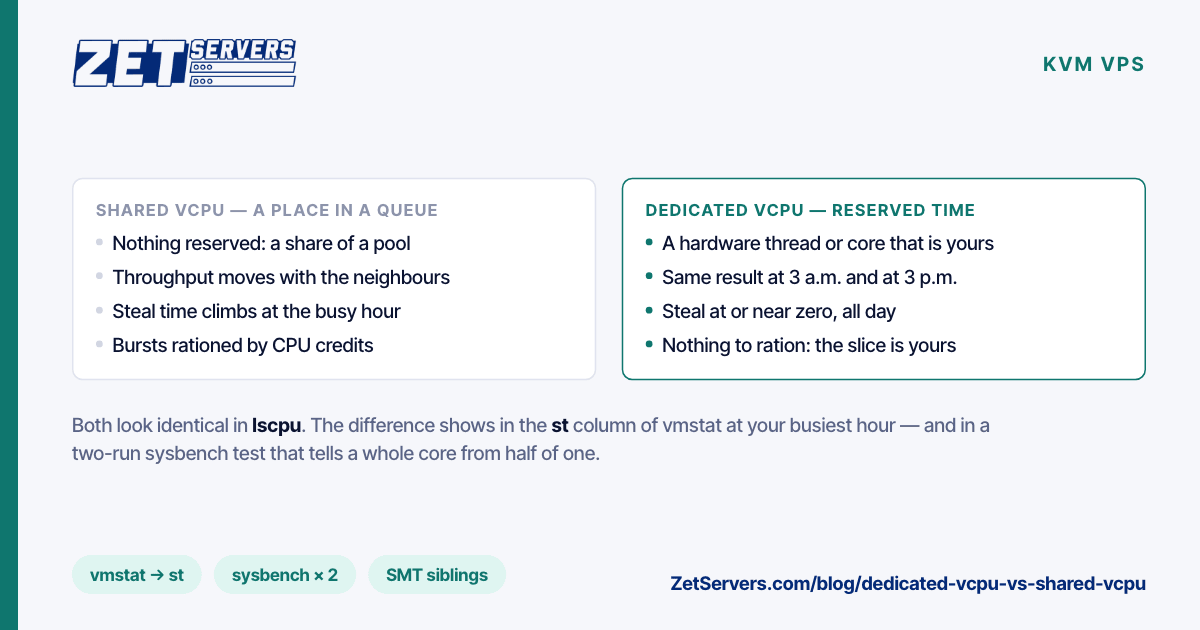
The same commands work, but expect shared-tenancy variance, and skip the disk tests on shared storage. Run the network test in particular: it is the one number a hypervisor cannot hide.
Can I test a machine before committing to it?
Tell us what you need to prove and we will work out how — and if you are comparing quotes, a price match is usually available. Start with the requirement, not the part number.