A Solana validator server is one of the few hosting jobs where the software's documentation tells you what to buy. Anza, which maintains the Agave validator client, publishes a hardware page and a setup guide, and calls the hardware list a guide to test against. This post maps both onto the builds we sell and says plainly which of ours do not qualify. It covers infrastructure only, not the economics of running a validator.
What the Agave docs ask for
From Anza's validator requirements page, as read in October 2026:
| Component |
Requirement |
| CPU |
2.8 GHz base clock or faster; AMD Gen 3 or newer, Intel Ice Lake or newer; SHA extensions; AVX2 for the official binaries; AVX512f helpful |
| Cores |
12 cores / 24 threads or more (RPC node: 16 / 32) |
| RAM |
256 GB or more; ECC suggested; a board that takes 512 GB suggested (RPC node: 512 GB or more) |
| Accounts |
NVMe, 1 TB or larger, high TBW |
| Ledger |
NVMe, 1 TB or larger, high TBW suggested |
| Snapshots |
NVMe, 500 GB or larger |
| OS |
optional own drive, 500 GB or larger, SATA is fine |
| Network |
public IPv4; 1 Gbit/s symmetric unstaked; at least 2 Gbit/s staked, 10 Gbit/s recommended |
Each NVMe device should be PCIe Gen3 x4 or better. Two preferences shape the rest: higher clock beats more cores, and accounts and ledger should not share a disk, because of their heavy IOPS.
Why the docs steer you off cloud VMs
The requirements page does not forbid the cloud. It warns that a cloud VM takes significantly more operational expertise to keep stable, and calls Docker on live clusters not recommended and generally not supported. NAT is discouraged too.
The docs leave out cost: the big clouds bill outbound traffic per gigabyte. We will not guess the volume; the conversion is arithmetic:
TB per 30-day month = average Mbps × 0.324
(1 Mbps = 125,000 bytes/s × 2,592,000 s = 0.324 TB)
A sustained 1 Gbps average is 324 TB a month in that direction, 2 Gbps is 648 TB and 10 Gbps is 3,240 TB. Multiply your measured outbound figure by a per-gigabyte rate for the bill; cloud egress fees compares those rates. On an unmetered port, the same volume costs what an idle port does.
Our builds against the CPU and RAM lines
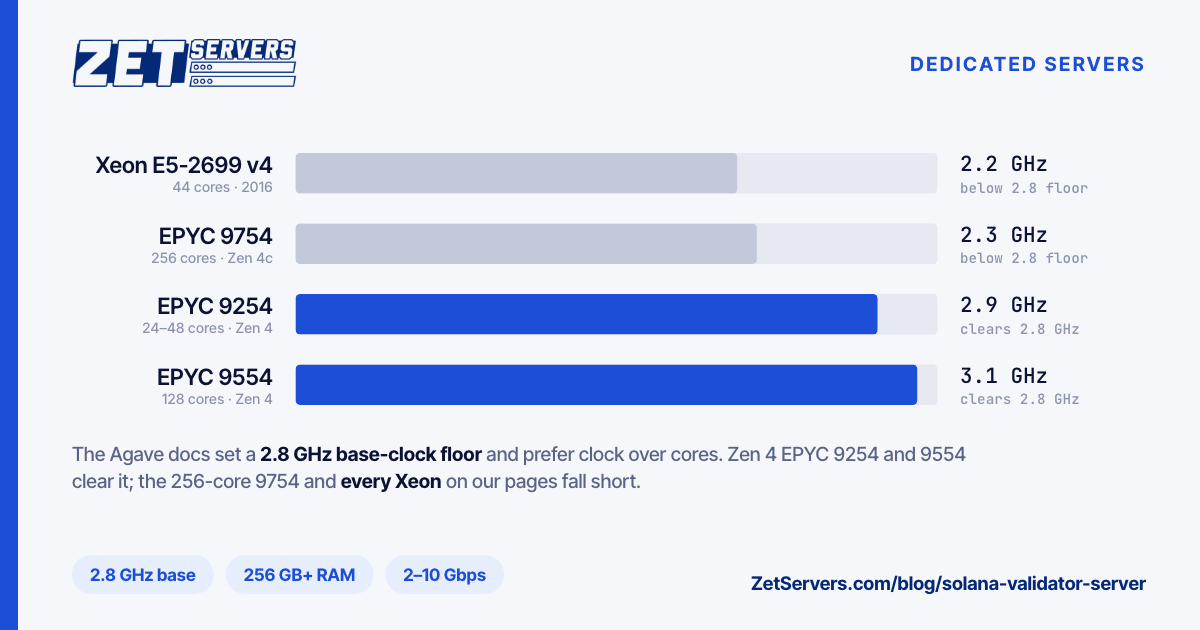
Every build on our dedicated pages, checked. The pages list base clocks, the figure the 2.8 GHz floor applies to, and every build clears the 12-core, 24-thread minimum.
| Build |
Base clock |
RAM as listed |
Slots |
CPU lines |
| 2× Xeon E5-2630 / 2690 / 2699 v4 |
2.2–2.6 GHz |
128–256 GB DDR4 |
6× SSD |
Fail |
| 2× Xeon Gold 6148 |
2.4 GHz |
256 GB DDR4 |
6× SSD |
Fails |
| 1× EPYC 9254, 24 cores |
2.9 GHz |
128 GB DDR5 |
10× NVMe |
Meets |
| 2× EPYC 9254, 48 cores |
2.9 GHz |
256 GB DDR5 |
10× NVMe |
Meets |
| 2× EPYC 9554, 128 cores |
3.1 GHz |
512 GB DDR5 |
24× NVMe |
Meets |
| 2× EPYC 9754, 256 cores |
2.3 GHz |
1,024 GB DDR5 |
24× NVMe |
Fails on clock |
The Xeons fail twice: all sit below 2.8 GHz, and all predate Ice Lake. The E5 v4 platform dates from 2016 and the Gold 6148 from 2017, as EPYC vs Xeon sets out. The E5 v3 parts some locations substitute for the E5-2690 v4 are older still, from 2014.
The EPYC 9004 builds are Zen 4, past the docs' "AMD Gen 3" floor however you read it. The 9754 still fails: its Zen 4c cores have a 2.25 GHz base, rounded to 2.3 on our pages.
On memory, the dual 9254 meets the 256 GB validator minimum as listed, and the dual 9554 the 512 GB an RPC node needs. The single 9254 ships with 128 GB, half the minimum, so it needs a RAM upgrade on a custom quote. All our builds use ECC memory.
Check the instruction lines on delivery:
lscpu | grep -E 'Model name|MHz'
grep -o -w -E 'sha_ni|avx2|avx512f' /proc/cpuinfo | sort -u
Without sha_ni the machine fails the SHA line; without avx2 the official binaries will not run.
Disks: one device per job
The docs put accounts, ledger and snapshots on separate NVMe devices: three drives, or four with an OS drive. Our listings show slots, not fitted drives, so specify the layout, with high-TBW drives, in the quote; extra storage can lengthen deployment. On the ledger, the requirements page says 1 TB or larger, but the setup guide's troubleshooting says at least 2 TB.
The guide formats each device as ext4 and mounts it for the unprivileged sol user:
sudo adduser sol
lsblk -f                         # devices without a UUID are unformatted
sudo mkfs -t ext4 /dev/nvme0n1   # ledger
sudo mkfs -t ext4 /dev/nvme1n1   # accounts
sudo mkdir -p /mnt/ledger /mnt/accounts
sudo mount /dev/nvme0n1 /mnt/ledger
sudo mount /dev/nvme1n1 /mnt/accounts
sudo chown -R sol:sol /mnt/ledger /mnt/accounts
Run chown after mounting, since ownership set on an empty mount point is hidden once a filesystem covers it. Then add both mounts to /etc/fstab by UUID.
The tuning the setup guide requires
Without these settings, the guide warns, the validator may not start. In /etc/sysctl.d/21-agave-validator.conf:
net.core.rmem_max = 134217728
net.core.wmem_max = 134217728
vm.max_map_count = 1000000
fs.nr_open = 1000000
Load it with sudo sysctl -p /etc/sysctl.d/21-agave-validator.conf. Each buffer ceiling is 128 MiB (128 × 1,024 × 1,024 = 134,217,728 bytes). Then add LimitNOFILE=1000000 and LimitMEMLOCK=2000000000 to the [Service] section of the validator's systemd unit, run sudo systemctl daemon-reload, and set the session limits (memlock in kB) in /etc/security/limits.d/90-solana-nofiles.conf:
* - nofile 1000000
* - memlock 2000000
Log out and back in to apply them. If the validator's hash rate lags the cluster, the guide suggests the performance governor:
echo performance | sudo tee /sys/devices/system/cpu/cpu*/cpufreq/scaling_governor
Firewall ports
| Source |
Port |
Protocol |
Purpose |
| any |
8000–8030 |
TCP and UDP |
gossip, turbine, repair (required) |
| your management IP |
22 |
TCP |
SSH (recommended) |
| RPC users |
8899 |
TCP |
JSON-RPC over HTTP (optional) |
| RPC users |
8900 |
TCP |
JSON-RPC over WebSockets (optional) |
The P2P range follows --dynamic-port-range; the guide's testnet script uses 8000-8020, so open the range you set. The docs advise keeping 8899 and 8900 off the internet on a staked mainnet validator, and say outbound traffic should not be filtered. With ufw, 203.0.113.10 standing for your management address:
sudo ufw default deny incoming
sudo ufw default allow outgoing
sudo ufw allow from 203.0.113.10 to any port 22 proto tcp
sudo ufw allow 8000:8030/tcp
sudo ufw allow 8000:8030/udp
sudo ufw enable
Add the SSH rule before enabling; if you lock yourself out anyway, every one of our machines has an IPMI console.
Network tier and price
Prices per month, checked October 2026, for the three passing builds:
| Build |
1 Gbps |
2 Gbps |
10 Gbps |
| 1× EPYC 9254, plus RAM upgrade |
€449 |
€529 |
€1169 |
| 2× EPYC 9254 |
€679 |
€759 |
€1399 |
| 2× EPYC 9554 |
€959 |
€1039 |
€1679 |
A 1 Gbps port matches the docs' unstaked figure, 2 Gbps their staked minimum, and 10 Gbps their recommendation for stable operation. Our guarantee applies to each direction separately, so a 2 Gbps port carries the symmetric 2 Gbps the docs ask for. The chassis moves to a faster tier later without a migration.
Run testnet first
The setup guide is written for testnet, which is stress-tested daily. Start there and measure average throughput each way, daily writes per drive (nvme smart-log shows data units written), memory headroom, and how quickly solana catchup recovers after a restart.
Monitoring and location
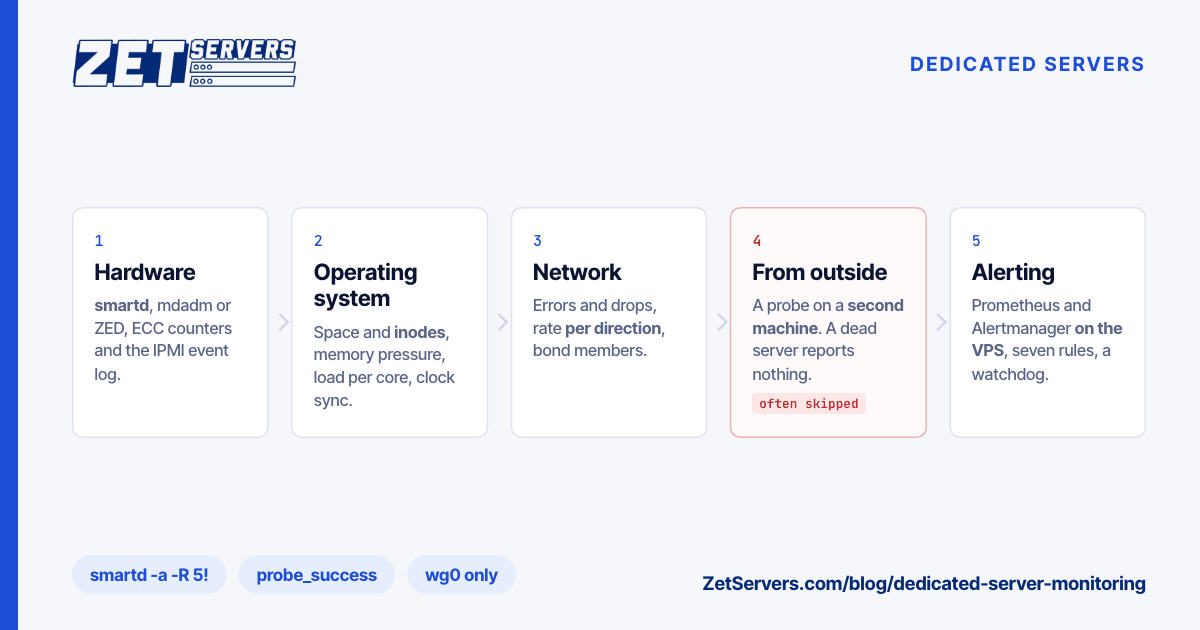
The guide points to agave-watchtower, run from a separate machine so alerts survive the validator host going down. Add host metrics: ledger free space, NVMe wear, NIC throughput against the tier, CPU frequency. Dedicated server monitoring covers that stack and its alerts.
The docs name no region, only a stable connection with a public IPv4 address. Pick the facility on path quality and keep the watchtower elsewhere; choosing a server location shows how to compare our 13 locations.
Frequently asked questions
What hardware does a Solana validator server need?
The Agave docs ask for a CPU at 2.8 GHz base or faster with SHA extensions and AVX2, AMD Gen 3 or Intel Ice Lake onwards, and 12 cores / 24 threads or more, plus 256 GB of RAM or more and separate NVMe drives for accounts (1 TB), ledger (1 TB) and snapshots (500 GB).
Can I run a Solana validator on a cloud VM or in Docker?
You can, but the Agave docs discourage both. They warn that a cloud VM needs significantly greater operational expertise to run stably, and call Docker on live clusters, mainnet-beta included, not recommended and generally not supported, because of containerisation overhead. They also require a public IPv4 address and advise against NAT.
How much bandwidth does a Solana validator need?
The Agave docs call a 1 Gbit/s symmetric connection sufficient for an unstaked node. A staked node needs at least 2 Gbit/s symmetric, with 10 Gbit/s recommended for stable operation. Measure your real average on testnet, then convert: each sustained megabit per second is 0.324 TB per 30-day month.
What does a Solana RPC node need beyond a validator?
More cores and more memory. The Agave docs ask for 16 cores and 32 threads or more, against 12 and 24 for a validator, and 512 GB of RAM or more to hold all account indexes, double the validator minimum. They list no extra disk or network requirements.