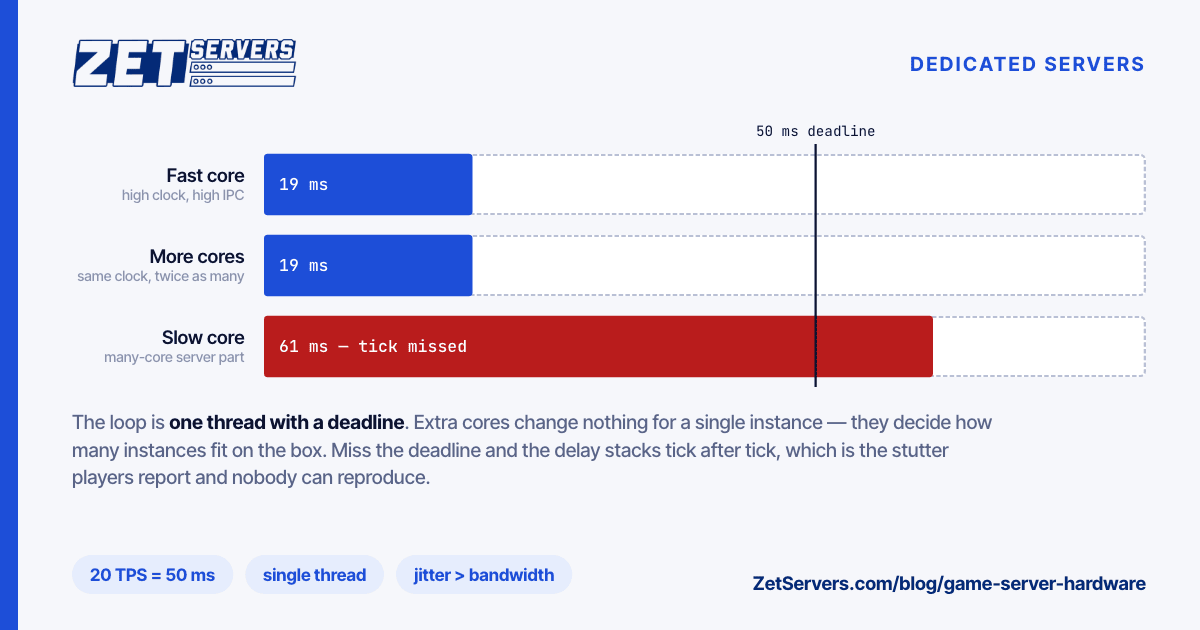
Buying game server hardware by core count is the most common and most expensive mistake in this corner of hosting. A 128-core machine looks like it should host a lot of players, and it does — as long as you understand that no single game instance will ever use more than a small fraction of it. Game servers are simulation loops, and a simulation loop is one thread with a deadline.
The tick is the deadline
A game server advances the world in fixed steps. Minecraft targets 20 ticks per second, a 50 ms budget per tick: finish the tick early and the server sleeps until the next one; exceed it and the next tick starts late, the delay accumulates, and players feel the world stutter. Counter-Strike 2 runs its servers at 64 Hz, with a sub-tick layer that timestamps player actions between ticks so input precision no longer depends on the tick frequency alone.
Different numbers, same shape: one thread must finish a fixed amount of work before a fixed instant, repeatedly, forever. Nothing about that gets faster with more cores. It gets faster with a core that executes more instructions per second.
That is why the ranking most buyers use is upside down. For a single instance:
- Single-thread performance — clock speed multiplied by instructions per clock. This is the whole game.
- Memory latency — simulation loops chase pointers through entity lists; latency matters more than bandwidth.
- Core count — irrelevant to one instance, decisive for how many instances fit on the box.
A high-clock desktop-class part will out-perform a many-core server part on a single game instance, often by a wide margin, and the many-core part will host far more instances in total. Which one is correct depends entirely on whether you are selling one big community server or two hundred small ones.
Where the cores do matter
Density. If you run many instances, each instance is a thread with its own deadline, and they compete.
Two practical rules:
- Budget in whole cores per instance, not fractions. A busy instance that gets 60% of a core misses ticks under load, and missed ticks are the symptom every player reports and nobody can reproduce.
- Watch memory bandwidth as instance count climbs. Forty simulation loops walking forty separate entity graphs will saturate memory channels long before they saturate the ALUs.
Leave headroom for everything that is not the game: the operating system, monitoring, backups, and the map or world generation that happens off the main thread but on the same silicon.
Bandwidth is smaller than you think, jitter is not
Per-player traffic for a real-time game is modest. The arithmetic is transparent:
update rate × snapshot size × 8 = bits per second per player
64 Hz × 200 bytes = 12.8 KB/s ≈ 102 kbps
A hundred players at that rate is around 10 Mbps. Even generous assumptions leave a busy multi-instance box well inside a 2 Gbps port, and most game hosts are nowhere near their bandwidth limit.
What players actually experience is not throughput, it is jitter — the variation in packet arrival. A steady 40 ms path feels better than a path that averages 25 ms and spikes to 90 ms, because client-side prediction can compensate for consistent latency and cannot compensate for inconsistent latency. That makes routing quality, not port size, the network property to buy for. A short, direct path to the ISPs your players use beats a big pipe on a congested route every time.
Two things follow. Put the server near the players rather than near yourself. And when you compare hosts, measure the path from their network to your community's actual connections, not to a speed test.
Storage and memory
Storage is not the constraint people expect. A game server reads its world on start-up and writes saves periodically; between those it is CPU and memory bound. NVMe still earns its place for two reasons — start-up and restart time on a large world, and save-write pauses that stall the main thread if the write is slow. Beyond that, capacity requirements are small.
Memory sizing is per instance and grows with the world, not the player count, for anything with a persistent map. Voxel and survival games with large explored worlds hold far more state than a round-based shooter with a fixed map; Minecraft server hosting gives starting heap sizes for the best-known of them. Measure your own instance at its largest world size and budget from that, with room for the world to grow.
DDoS is part of the specification
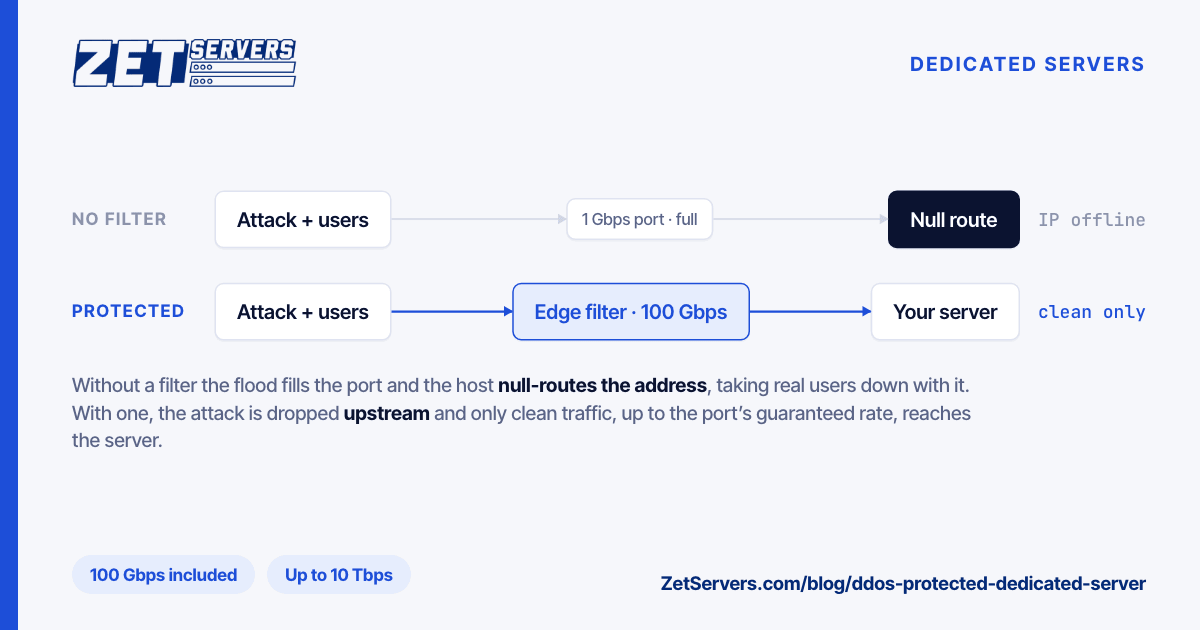
Game hosting attracts denial-of-service traffic in a way that most workloads do not, and the traffic arrives as UDP floods aimed at the game port — which is difficult to distinguish from legitimate traffic without protocol awareness. This is a network-level problem: by the time packets reach your server's interface, the damage is done, and no host-based firewall rule helps. Confirm what mitigation your provider actually runs, what triggers it, and whether it distinguishes game traffic from a flood or simply blackholes the address.
Everything else about hardening a game box is ordinary server hygiene — separate accounts per instance, no game process running as root, an out-of-band management path, and a firewall that permits only the game ports and your administration path. The baseline is in how to secure a new dedicated server.
Frequently asked questions
How many players can one server handle?
Per instance, the limit is whatever keeps the tick inside its budget with the mods, entities and world size you actually run. Per machine, it is instances multiplied by cores available. Both numbers are specific to your game and configuration, and the only reliable way to find them is to load-test the instance you intend to run and watch the tick timing.
Is 128 tick better than 64 tick?
Higher tick rates reduce the interval between simulation steps, at a proportional CPU cost per instance. Counter-Strike 2's sub-tick approach is a demonstration that timestamp precision — knowing exactly when an input happened — addresses much of what players attributed to tick rate. For most games and communities, a stable 64 Hz beats an unstable 128 Hz.
Do I need a GPU for a game server?
No. A dedicated game server runs the simulation and no rendering; graphics happen on each player's machine. GPUs are needed for game streaming, which is a different product entirely.
Should I buy more RAM or a faster CPU?
Fast CPU first, until you have measured a memory shortfall. Insufficient RAM produces swapping, which produces missed ticks, but the far more common cause of missed ticks is a core that cannot finish the work in time. Fix the deadline first.
Next steps
Pick the CPU by single-thread performance, size the core count by how many instances you intend to run, and choose the network by path quality rather than port size. Our game server page lists the high-clock configurations and the locations they are available in. If you tell us which game, how many instances and where your players are, we will suggest the build and the PoP rather than the biggest box.