A video transcoding server takes one incoming video and turns it into several: a ladder of resolutions and bitrates that players switch between as connections change. The job is pure compute, and most sizing mistakes come from borrowing someone else's frames-per-second figure, measured on a different clip, encoder, preset and CPU. This guide compares CPU encoders (x264, x265, SVT-AV1) with GPU encoders (NVENC, Quick Sync), separates live from on-demand work, and measures capacity on your machine with one FFmpeg command.
What the server actually does
Every transcode decodes the source once, then scales and encodes once per rung of the ladder, which is why the encoder dominates the bill.
Apple's HLS authoring specification publishes one possible H.264 ladder of nine variants, from 416×234 at 145 kbit/s to 1920×1080 at 7,800 kbit/s. A five-rung cut of it:
| Rung |
Resolution |
H.264 bitrate |
| 1 |
1920×1080 |
6,000 kbit/s |
| 2 |
1280×720 |
3,000 kbit/s |
| 3 |
960×540 |
2,000 kbit/s |
| 4 |
768×432 |
1,100 kbit/s |
| 5 |
640×360 |
365 kbit/s |
The same document asks for a keyframe every two seconds and six-second segments. At 30 fps that means a GOP of 60 frames (-g 60) on every rung, so segment boundaries line up across the ladder.
Two workloads use this pipeline in very different ways:
- Live has a hard floor. Each channel must encode at least as fast as real time, all the time; at 0.95× the output falls behind and players buffer.
- On demand (VOD) has no deadline per frame, only throughput: hours of video finished per hour of machine time. Slow presets that would break a live channel are fine here.
CPU encoders: x264, x265 and SVT-AV1
FFmpeg wraps all three, as libx264, libx265 and libsvtav1. Each has a preset that trades speed against compression, and for sizing the preset matters as much as the codec.
| Encoder |
Codec |
Preset scale |
Default |
| libx264 |
H.264 |
ultrafast … placebo, 10 steps |
medium |
| libx265 |
HEVC |
ultrafast … placebo, 10 steps |
medium |
| libsvtav1 |
AV1 |
0 to 13, higher is faster |
varies by release |
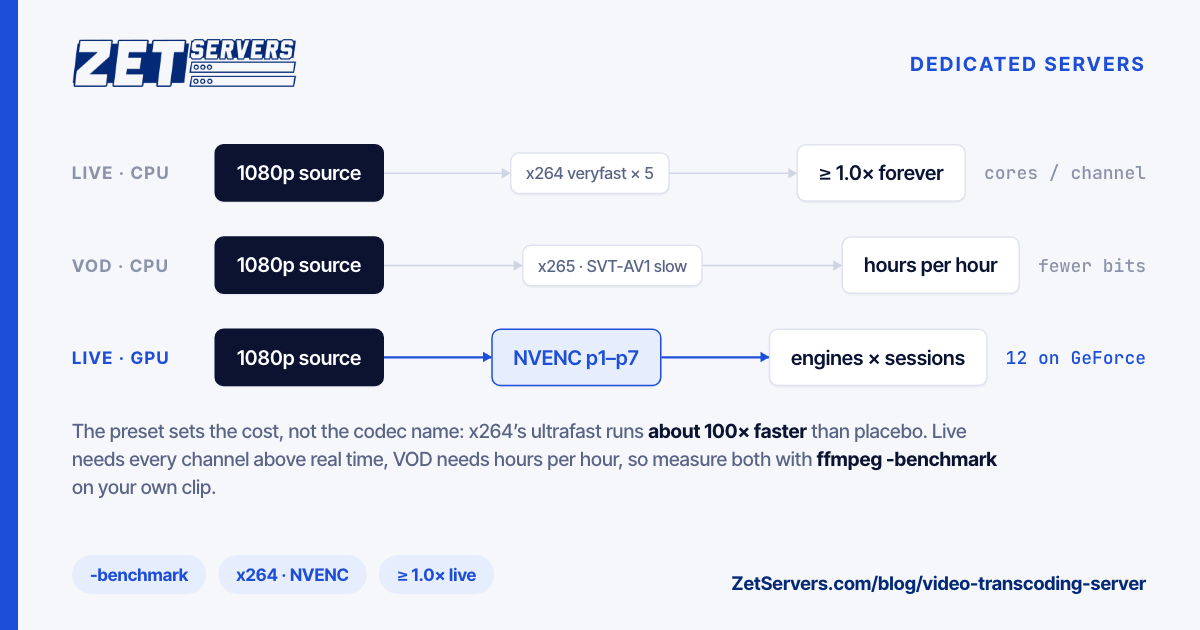
x264's own header file warns that its presets scale dramatically: ultrafast is about 100 times faster than placebo. A rule like "one core per 1080p stream" means nothing without its preset.
The newer codecs spend CPU to save bits. Apple's HEVC ladder puts 1080p at 4,500 and 5,800 kbit/s, against 6,000 and 7,800 for H.264. Every bit saved is egress you skip on every view, so a popular VOD title can repay a slow encode that a live channel could never afford.
For live, x264 and x265 offer a zerolatency tune (no lookahead, no B-frames), and SVT-AV1 a low-delay prediction structure.
One encode rarely uses a very large machine well. x265's documentation notes that over-allocating frame threads "will not improve performance". On a box with a hundred or more cores, run many encodes side by side, and benchmark it that way.
GPU encoders: NVENC and Quick Sync
NVENC is a fixed-function encoder on NVIDIA GPUs, separate from the CUDA cores. FFmpeg exposes it as h264_nvenc, hevc_nvenc and av1_nvenc, with presets p1 (fastest) to p7 (best quality), default p4, and ll and ull tunings for low latency. Decode on the card too, with -hwaccel cuda -hwaccel_output_format cuda, so frames do not travel through system memory between steps.
Three lines in NVIDIA's encode and decode support matrix decide whether a card fits:
- Session caps. GeForce cards are capped at 12 concurrent encode sessions in the current matrix, a limit NVIDIA has raised several times through drivers. Data-centre cards such as the L4 and L40S are listed as unrestricted.
- Engine count. The encoding is done by NVENC engines, not the gaming silicon, and the matrix counts them: one on a T4 or A10, two on an L4, three on an L40S.
- AV1. The L4, L40 and L40S encode AV1. The T4, A10 and A16 do not.
The trade is quality per bit. A hardware encoder is cheap per stream, but at the same bitrate it may not match a slow software preset. Measure it: encode a clip both ways and score each against the source with VMAF, which FFmpeg ships as a filter (distorted input first, reference second):
ffmpeg -i nvenc_720p.mp4 -i source.mp4 \
  -lavfi "[1:v]scale=1280:720[ref];[0:v][ref]libvmaf" -f null -
Quick Sync (h264_qsv, hevc_qsv) is Intel's equivalent and lives in Intel graphics. Server processors without integrated graphics, which includes the Xeon E5 v4 and AMD EPYC chips in our range, need a separate Intel GPU for it. GPUs are not on our price list; NVENC cards are available on request, so ask before planning around one.
How to size a video transcoding server
Capacity is the cost of one channel's ladder at your preset, times the number of channels, and only a measurement gives you the first number. Take 60 seconds of your real content, since a football match and a talking head encode at very different speeds, and run the whole ladder once, discarding the output:
ffmpeg -hide_banner -nostats -benchmark -i sample.mp4 \
  -filter_complex "[0:v]split=3[a][b][c];[a]scale=-2:1080[v1];[b]scale=-2:720[v2];[c]scale=-2:540[v3]" \
  -map "[v1]" -c:v libx264 -preset veryfast -b:v 6000k -g 60 -f null /dev/null \
  -map "[v2]" -c:v libx264 -preset veryfast -b:v 3000k -g 60 -f null /dev/null \
  -map "[v3]" -c:v libx264 -preset veryfast -b:v 2000k -g 60 -f null /dev/null
Extend the split to every rung, and swap in your real encoder and preset. At the end FFmpeg prints:
bench: utime=…s stime=…s rtime=…s
bench: maxrss=…KiB
Three numbers come out of those lines:
- Speed: clip length ÷
rtime. A 60-second clip finished in 12 seconds ran at 5× real time.
- Cores busy:
utime ÷ rtime, the average number of cores the ladder kept working.
- Memory:
maxrss, the peak for one job.
One job on an idle machine flatters every figure, so run copies in parallel and raise the count until the slowest drops towards 1.0×:
for i in $(seq 1 8); do
  ffmpeg -hide_banner -nostats -benchmark -i sample.mp4 ... 2>&1 | grep rtime &
done; wait
For live, keep a margin: the largest count whose slowest copy still holds, say, 1.3× is your channel count. For VOD, add up the copies: eight jobs each holding 5× finish 40 hours of video per hour, so a 2,000-hour library takes 50 hours. Use the hardest footage you carry. Confetti, water and fast pans cost far more than the average frame.
Choosing the machine
Cores for software encoding. Parallel software encodes scale with total cores. Our range runs from 2× Xeon E5-2699v4 (88 threads, €299 a month at 1 Gbps) to 2× EPYC 9554 (256 threads) and 2× EPYC 9754 (512 threads). The EPYC parts are several core generations newer; EPYC vs Xeon compares the families. The fair comparison is monthly price ÷ channels from the benchmark above, not either spec sheet.
Memory. Multiply maxrss by the number of parallel jobs. Every dedicated build starts at 128 GB.
Storage for VOD. Sources and outputs want NVMe while jobs run: the single EPYC 9254 build has 10 NVMe slots, the dual EPYC 9554 and 9754 builds 24. Finished libraries often move on to a capacity-sized video-on-demand origin.
The port. A transcoder that only pushes its ladder to an origin or CDN needs little bandwidth. The five rungs above add up to 12,465 kbit/s, so 20 channels push about 250 Mbit/s, inside a 1 Gbps port. If the same machine also serves viewers, egress takes over: each viewer pulls one rendition, so a 10 Gbps port carries about 1,580 viewers at 6 Mbit/s with 5% protocol overhead (10,000 ÷ 6.3). Streaming server requirements works through ingest, transcode and egress together. A 10 Gbps dedicated server with 2× EPYC 9554 is €1,679 a month, and our streaming servers page lists builds for this work.
Frequently asked questions
Is a GPU or a CPU better for a video transcoding server?
A GPU with NVENC is cheaper per stream and moves the encode off the CPU, which suits many live channels at fixed bitrates. A CPU with x264, x265 or SVT-AV1 at slower presets can give better quality per bit, which suits VOD libraries watched many times. Compare both on your own clips with VMAF before choosing.
How many live channels can one server transcode?
Nobody can answer that without your clip, encoder, preset and ladder. Run the ladder once with ffmpeg -benchmark, then run copies in parallel until the slowest falls towards real time. The largest count that holds 1.3× or better is a safe channel count for that machine and those settings.
Should my ladder use H.264, HEVC or AV1?
Keep H.264: Apple's HLS specification asks for some H.264 content for backward compatibility. HEVC needs less bitrate per rung, as Apple's HEVC ladder shows at 1080p, and AV1 is newer still, but both cost more encode time. The same specification asks each codec to carry every bandwidth, so a second codec roughly doubles the rungs you encode.
Can I transcode on a VPS instead of a dedicated server?
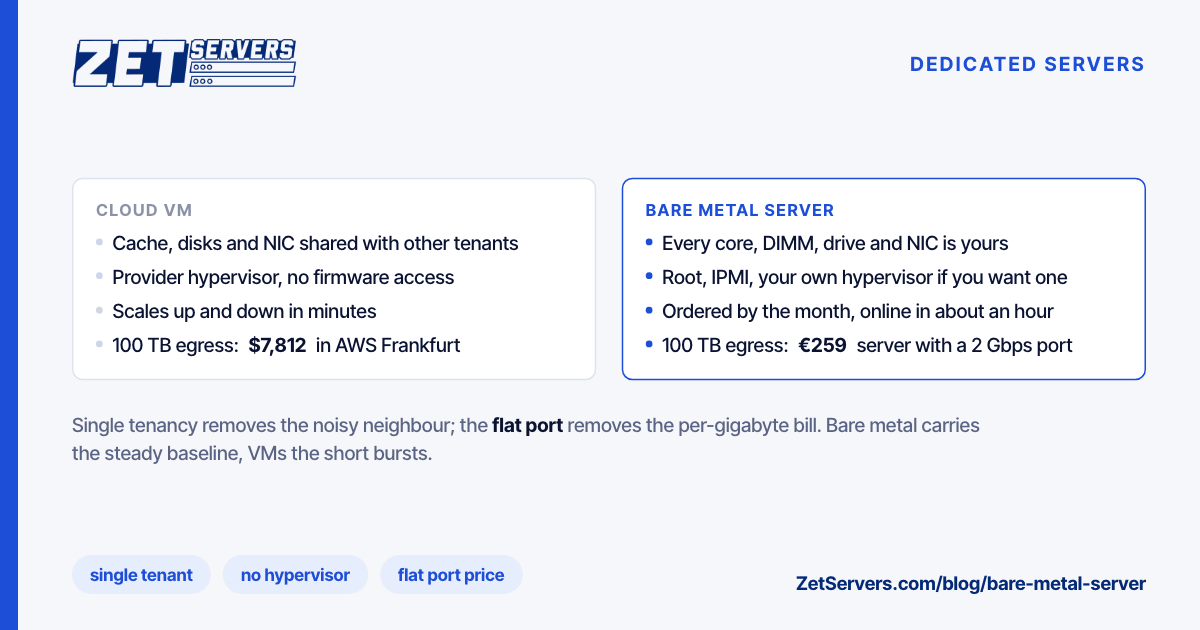
For a few channels at fast presets, yes, provided the vCPUs are dedicated rather than shared, because time lost to a neighbour arrives as a late frame. Hardware encoding is different: NVENC needs the GPU inside the machine, which means a bare metal server rather than a virtual one.