The honest answer to how many concurrent viewers per server you can carry is that the port decides the ceiling and something else decides the number you actually reach. Egress arithmetic is the easy half — it is one multiplication. The half that surprises people is that a server sized correctly for bandwidth still falls over at a third of the predicted viewer count, because the limit was never the network card.
The ceiling: viewers × bitrate
One viewer consumes their rendition's bitrate for as long as they watch. That gives the ceiling:
concurrent viewers × bitrate per viewer = egress required
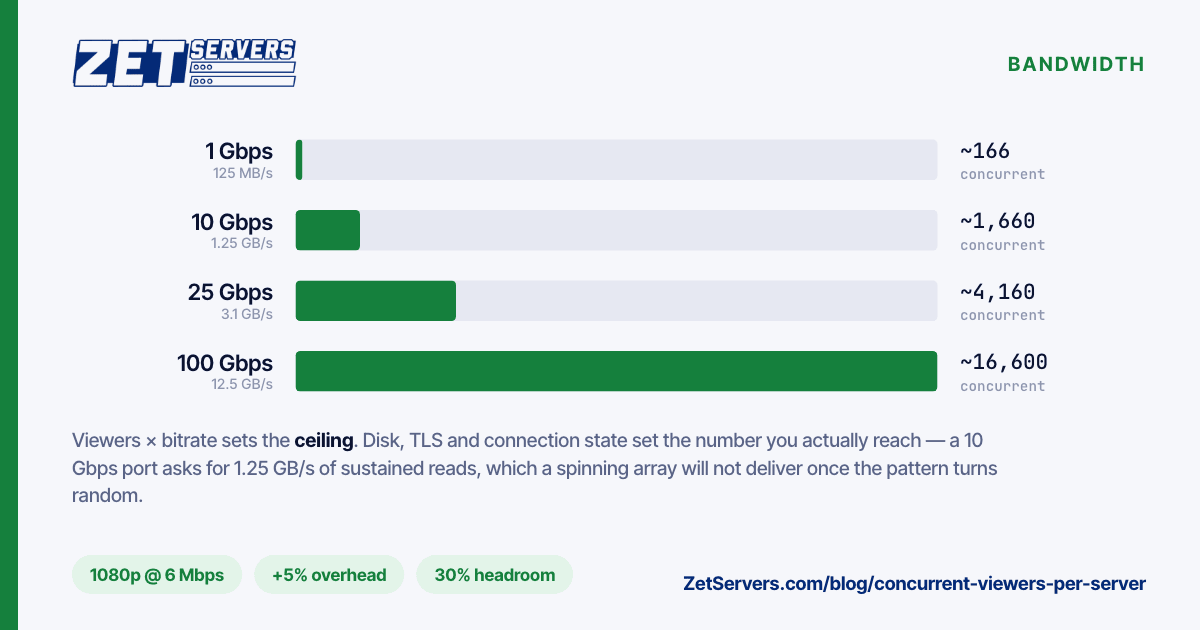
Apple's HLS authoring specification, which most ladders still copy, tops its H.264 rungs at 7800 kbps for 1080p, with 4500 kbps the rung most encoders actually deliver at that resolution. Taking 6 Mbps as a realistic 1080p average and 20 Mbps for 4K:
| Port |
720p @ 3 Mbps |
1080p @ 6 Mbps |
4K @ 20 Mbps |
| 1 Gbps |
~333 |
~166 |
~50 |
| 10 Gbps |
~3,330 |
~1,660 |
~500 |
| 25 Gbps |
~8,330 |
~4,160 |
~1,250 |
| 100 Gbps |
~33,300 |
~16,600 |
~5,000 |
Three adjustments before you use those figures for anything:
- Add overhead. Segment requests, TLS records and retransmits cost roughly 5% on top of the media bitrate. It is not nothing at 100 Gbps.
- Subtract headroom. A port at 95% does not degrade politely; it buffers for everyone simultaneously. Size for peak plus a margin, not for peak.
- Adaptive ladders do not multiply egress. Each viewer pulls one rung at a time. What a ladder multiplies is your transcode load, which is a CPU problem, not a bandwidth one.
If you are choosing a port tier rather than sizing a single machine, the tier-by-tier arithmetic including backup windows and 95th-percentile peaks is in how much bandwidth do you actually need.
What runs out before the port does
Disk, for VOD
A 10 Gbps port asks for 1.25 GB/s of sustained reads. A 7,200 rpm SATA drive delivers roughly 200–280 MB/s sequentially, and far less once several viewers are seeking through different files and the access pattern turns random. Six spindles in a stripe cannot feed a saturated 10 Gbps port with a random-read workload, no matter what the sequential benchmark said.
The fix is not more spindles, it is a working set that lives in RAM or on NVMe. Page cache is doing most of the work on a healthy VOD box: if your catalogue is 40 TB but 95% of plays hit the same 400 GB, put 400 GB of NVMe (or RAM) in front of the array and the disks stop being the constraint. Live streaming sidesteps this entirely — segments are served from cache seconds after they are written.
CPU, for TLS and transcoding
Serving TLS at multi-gigabit rates costs real cores. Modern x86 with AES-NI handles AES-GCM cheaply, but "cheaply" at 10 Gbps still means a measurable fraction of a socket, and it is the one cost that scales linearly with egress.
Transcoding is a different order of magnitude. A single 1080p x264 veryfast encode occupies several cores in real time; a five-rung ladder from one source multiplies that. If you are transcoding on the same box that serves, model them as separate machines that happen to share a chassis, and give the encoder dedicated cores.
Connection state
Every viewer is at least one TCP connection, often several. That means file descriptors, socket buffers and ephemeral ports, and the stock limits are not set for tens of thousands of them:
ulimit -n                                   # per-process fd limit, often 1024
sysctl net.ipv4.ip_local_port_range         # default 32768 60999
sysctl net.core.somaxconn                   # default 4096 on modern kernels
Raise the file-descriptor limit in the unit file (LimitNOFILE=), not in a shell profile — a systemd service never reads your .bashrc. The socket-buffer maths that decides whether a single connection can saturate a fast link is covered in how to verify your port speed.
Worked example: a 10 Gbps live edge
Say a 1080p-only live stream at 6 Mbps, 8,000 expected concurrent viewers at peak.
8,000 × 6 Mbps = 48 Gbps of media
+5% overhead    ≈ 50.4 Gbps
+30% headroom   ≈ 65.5 Gbps
That is not one 10 Gbps server; it is seven of them behind a load balancer, or a smaller origin behind a CDN. A single 10 Gbps machine carries about 1,200 of those viewers with headroom intact — useful as an origin, or as one edge in a fleet, not as the whole platform.
Run the same numbers before you buy, and run them at your worst hour rather than your average one. Release days and live events do not respect monthly averages.
Where a CDN changes the answer
If your viewers are geographically spread, the per-server question stops being the right one. A CDN turns your problem into "how much does the origin serve" — which for live is one copy of each segment per edge, and for VOD is the cache-miss rate times the catalogue.
An origin behind a CDN with a 95% hit ratio serves 5% of viewer traffic, but it serves it as unpredictable cache-fill bursts rather than a smooth curve. Size the origin for the burst. Storage-heavy origins are their own shape of machine — high-density storage servers with an unmetered uplink rather than a compute box with a big NIC.
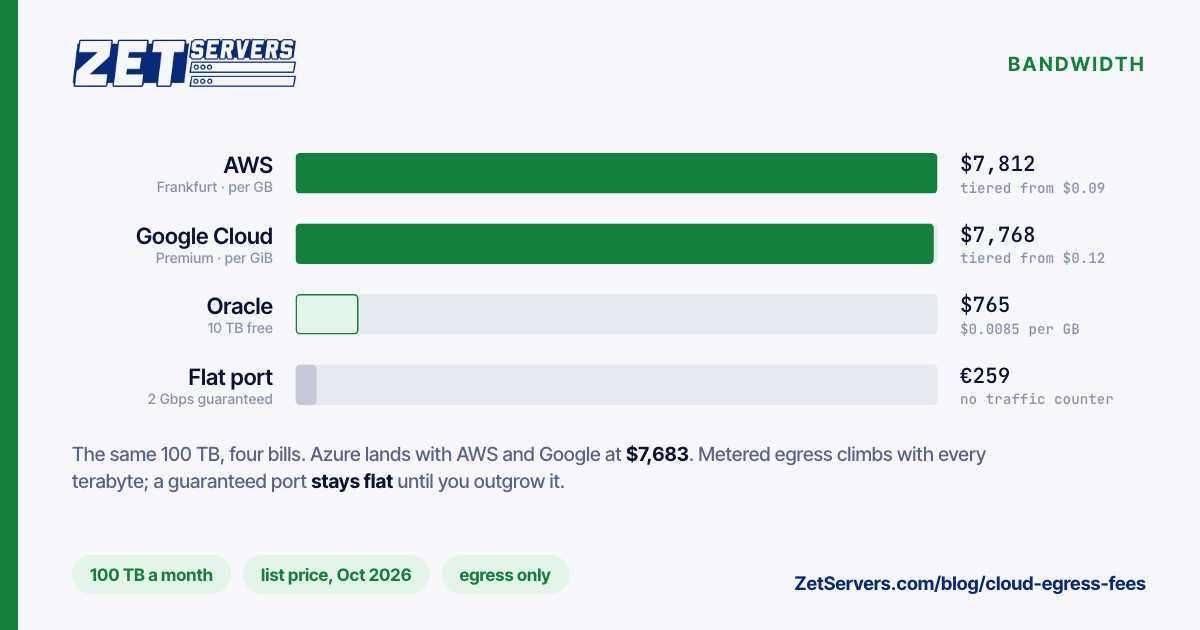
Self-hosting the edges instead of buying CDN is a legitimate choice when your audience is concentrated in a few regions and your bitrate is high: at 1080p and above, egress is the dominant cost, and an unmetered port turns a variable bill into a fixed one.
Frequently asked questions
How many viewers can a 1 Gbps server handle?
About 166 at a 1080p 6 Mbps rendition, or roughly 330 at 720p, before overhead and headroom. Subtract 5% for protocol overhead and keep 20–30% in reserve, and the planning number is closer to 120 at 1080p.
Does WebRTC change the arithmetic?
The bandwidth arithmetic is the same — a viewer still consumes their bitrate. What changes is the per-connection cost: WebRTC keeps a stateful, encrypted peer connection with its own pacing per viewer, so CPU and memory per viewer are substantially higher than an HTTP segment request. Sub-second latency is bought with server resources.
Should I count peak or average concurrent viewers?
Peak, and specifically the worst single hour you expect rather than the busiest hour you have seen. A platform sized on averages is a platform that fails on its best day.
Do I need separate servers for transcoding and delivery?
Not necessarily, but you need separate capacity. Transcoding is CPU-bound and bursty; delivery is network-bound and steady. Running both on one box works until the encoder starves the delivery threads during a load spike — pin them to different cores, or split the roles once you are past one ladder.
Next steps
Work out your peak, apply the overhead and headroom, then check the number against disk and CPU rather than the port alone. The live streaming server page lists what each tier ships with, and the VOD page covers the storage-heavy side. If you have a launch date and a viewer forecast, send us both and we will size it against real hardware rather than a table.